You haven't signed in yet, you can have a better experience after signing in
*Please complete the payment within {{receiveCouponInfo.expire_at}}Previous use*
You haven't signed in yet, you can have a better experience after signing in



Activity Rules
1、Activity time:{{ info.groupon.start_at }} ~ {{ info.groupon.end_at }}。
1、Activity time:cease when sold out。
2、Validity period of the Group Buying:{{ info.groupon.expire_days * 24 }} hours。
3、Number of Group Buying:{{ info.groupon.need_count }}x。
Please Pay Attention
1、Teamwork process: Join/initiate a Group Buying and make a successful payment - Within the validity period, the number of team members meets the activity requirements - Group Buying succeeded!
2、If the number of participants cannot be met within the valid period, the group will fail, and the paid amount will be refunded in the original way.
3、The number of people required and the time of the event may vary among different products. Please pay attention to the rules of the event.

Formlo is a video captioning tool suitable for macOS and Windows, which integrates the process of "generating subtitles → breaking sentences → translating into bilingual → pressing into the screen" into one window, and comes with video conversion and audio extraction. In addition to individual video editing, it can also point to the entire folder for batch subtitle supplementation and batch suppression.
Three workspaces:Subtitles "refine individual videos," transform "process packaging and audio, and" batch subtitles "run an entire folder.
Three workspaces, each managing a process
Features
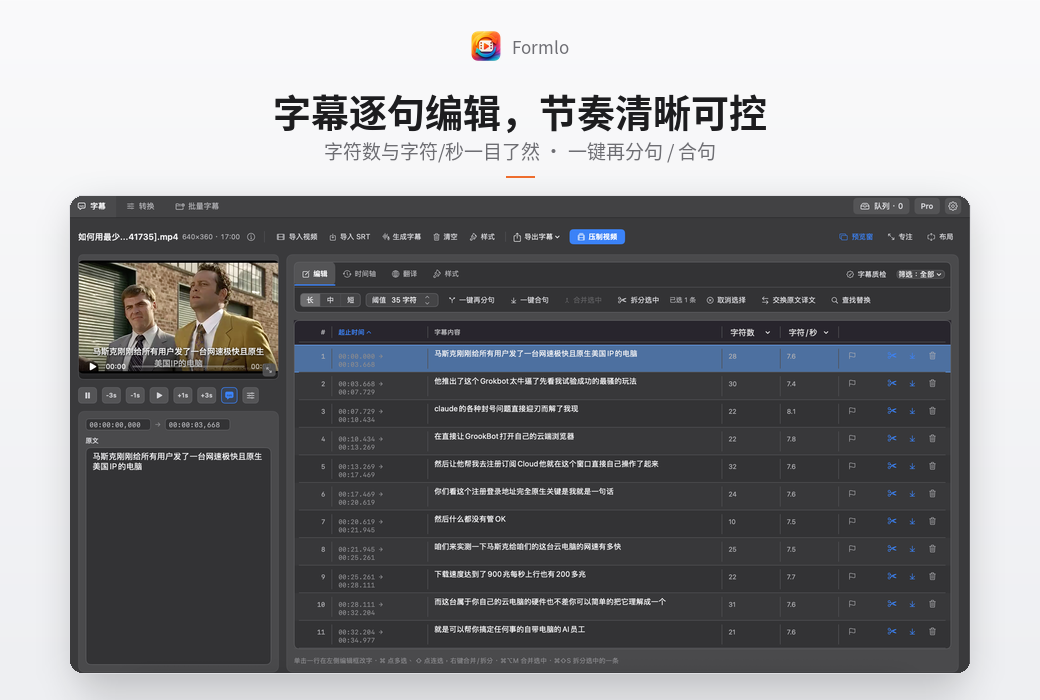
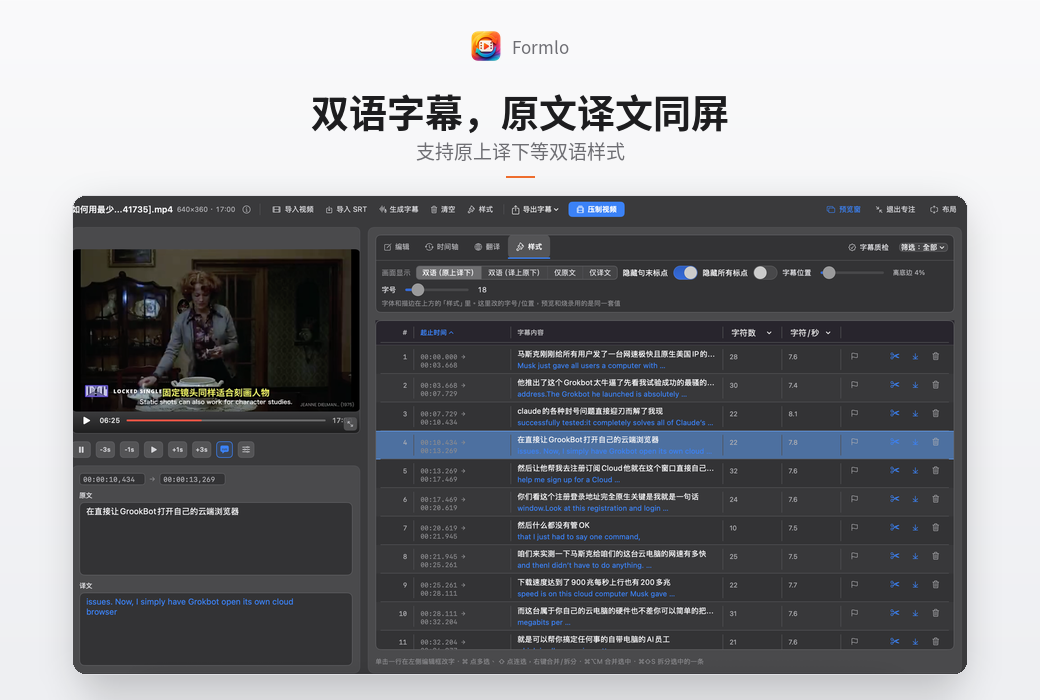
After importing the video, generate subtitles with just one click, or directly import existing SRTs. Subtitles are presented in a list, displaying start and end times, number of characters, and characters per second. The left edit box changes the one you click on, and the video preview is synchronized and located.
There are three levels of sentence breaks: long/medium/short, and the threshold character count can also be customized. Support one click splitting, one click combining, and manual merging or splitting of selected items to avoid long single lines or fragmented sentences.
Supports four forms: bilingual (original up and down/translation up and down), original text only, and translation only, allowing for one click exchange of original text and translation. Translation can be done through Hy-MT2 offline translation (BreezeWhisper) or by connecting to online engines such as DeepL.
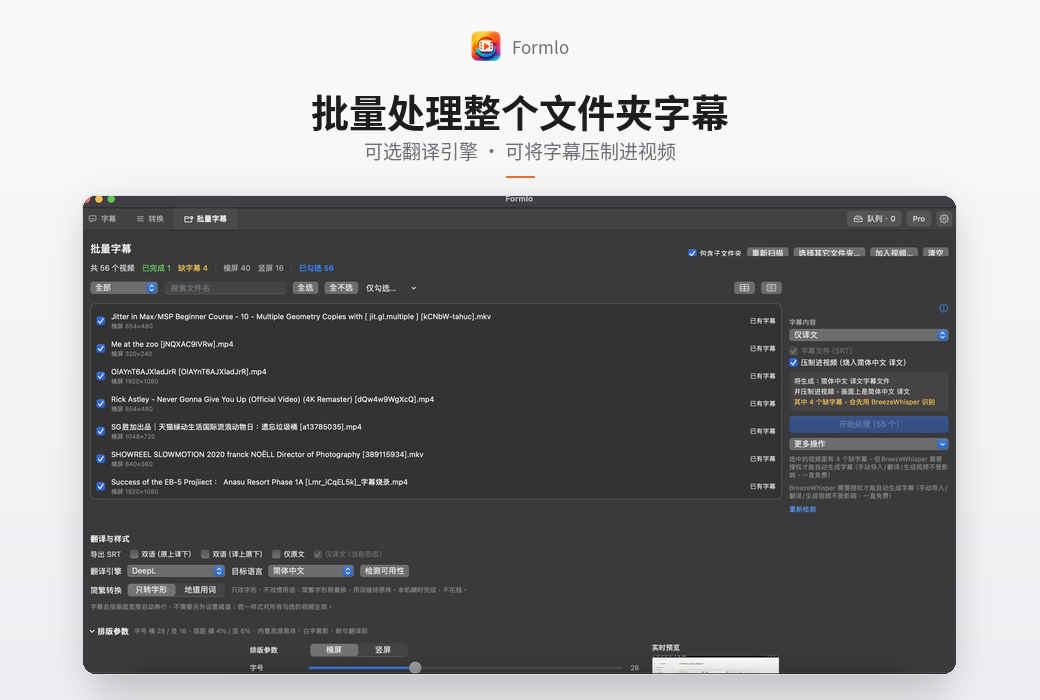
'Only convert the character shape' is instantly completed on this machine without spending money, but without changing the wording; The term 'authentic vocabulary' will replace words according to the target region's description - 'file' will become 'document' instead of just 'file'.
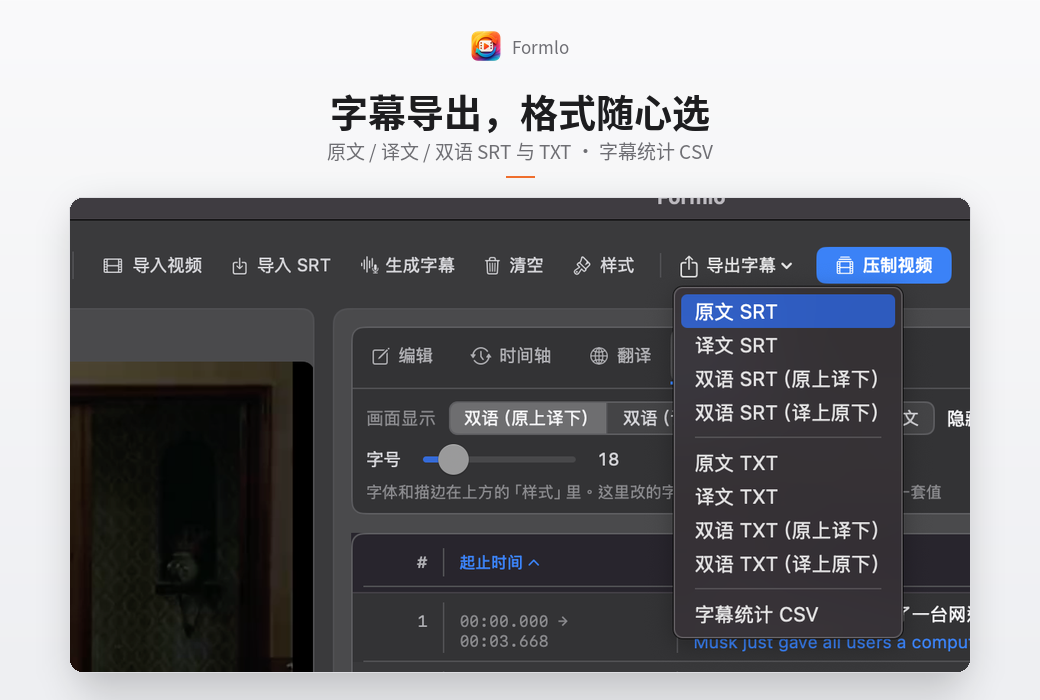
Subtitles can be exported to SRT or directly compressed into the image. Font size, bottom distance, font and stroke (with built-in Source black font, white text and black shadow) can be adjusted, with separate settings for horizontal and vertical screens, and real-time preview on the right side.
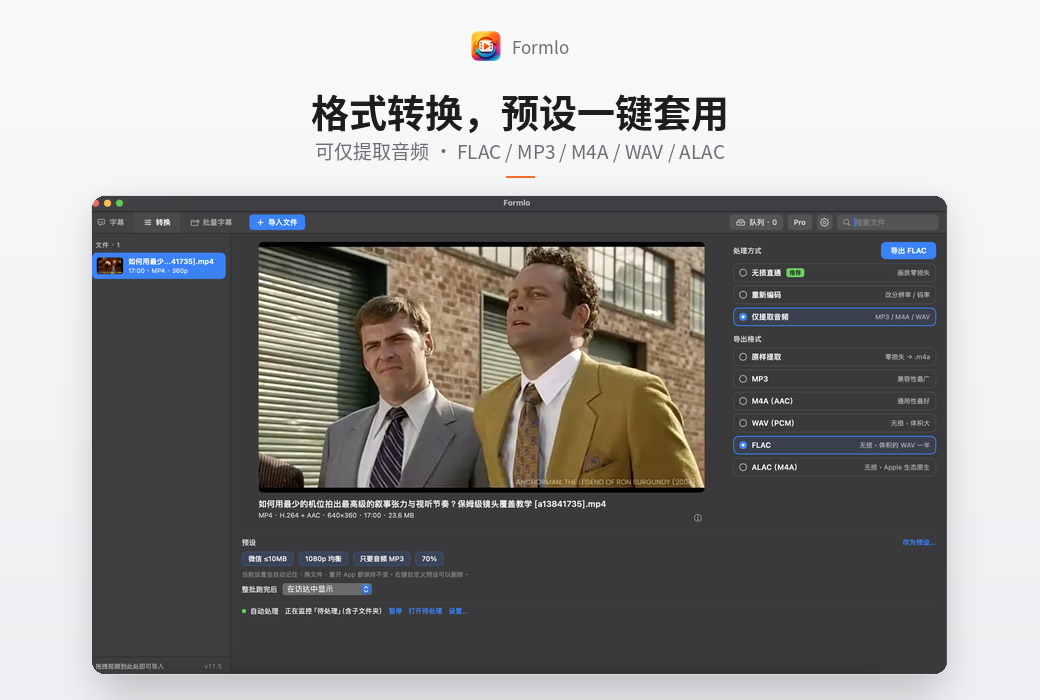
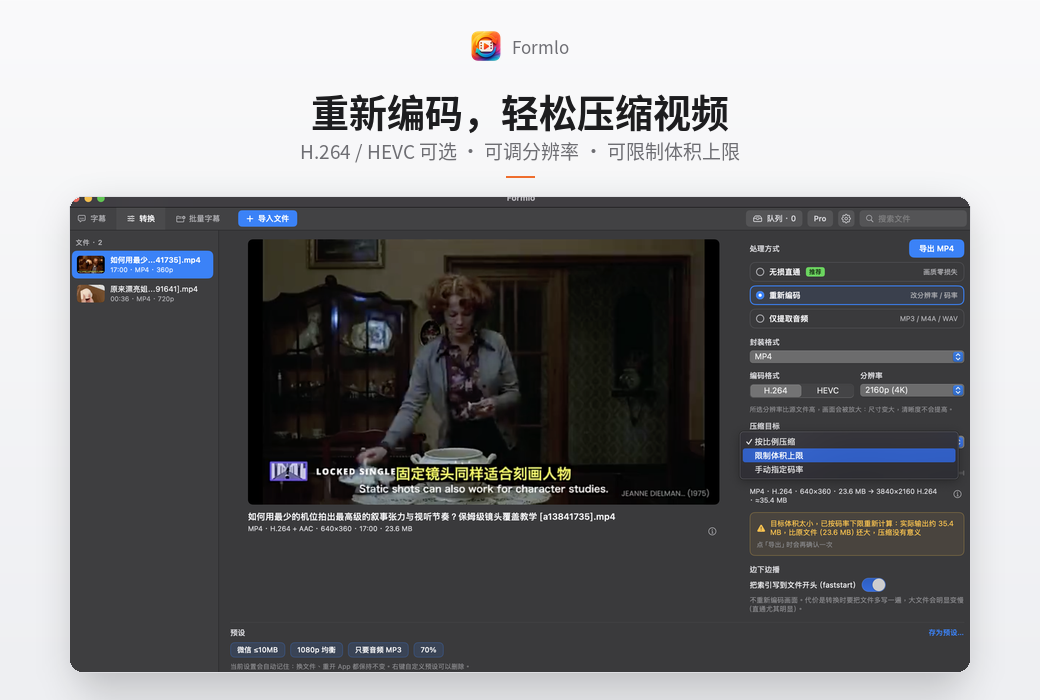
The "Conversion" page provides three processing methods: lossless pass through (zero loss of image quality), re encoding (changing resolution/bitrate), and only extracting audio. Audio can be extracted as is (zero loss. m4a), or output as MP3/M4A/WAV/FLAC/ALAC.
Select a folder (including subfolders) to scan all videos, automatically mark existing subtitles/missing subtitles/failures, landscape or portrait, and then generate subtitles in batches, suppress them in batches, or only fill in the missing subtitles.
Suppressing and converting tasks into queues for execution, there is no need to wait one by one. The top search box allows for direct retrieval within the imported file.
System requirements:The macOS version requires macOS 14.0 or later; The Windows version supports Windows 10/11. Earlier systems are currently not supported.
Target Audience
Official Website:https://yczlabs.com/zh/products/formlo/
Download Center:https://formlo.apsgo.cn
Delivery Time: Automatic delivery within 24 hours
Operating Platform: Windows, macOS
Interface Language: Supports Chinese interface display, with multiple languages available.
Update Instructions: Free updates within the current major version.
Trial Before Purchase: Free trial available before purchase.
How to Receive Your Product: After purchase, the activation information will be sent to the email address used for the order. You can also view the corresponding product activation code in your personal center, under "My Orders".
Number of Devices: Can be installed on 2 computers.
Changing Computers: Uninstall on the original computer and activate on the new one.
Activation Guide: To be added.
Special Instructions: To be added.
References:https://yczlabs.com/zh/products/formlo/

Any question